Updating Your Digital Business Card
Updating Your Digital Business Card
Updating the Digital Business Card
- Tap the Edit icon in the bottom-right corner of the screen.
- Update the Digital Business Card as needed.
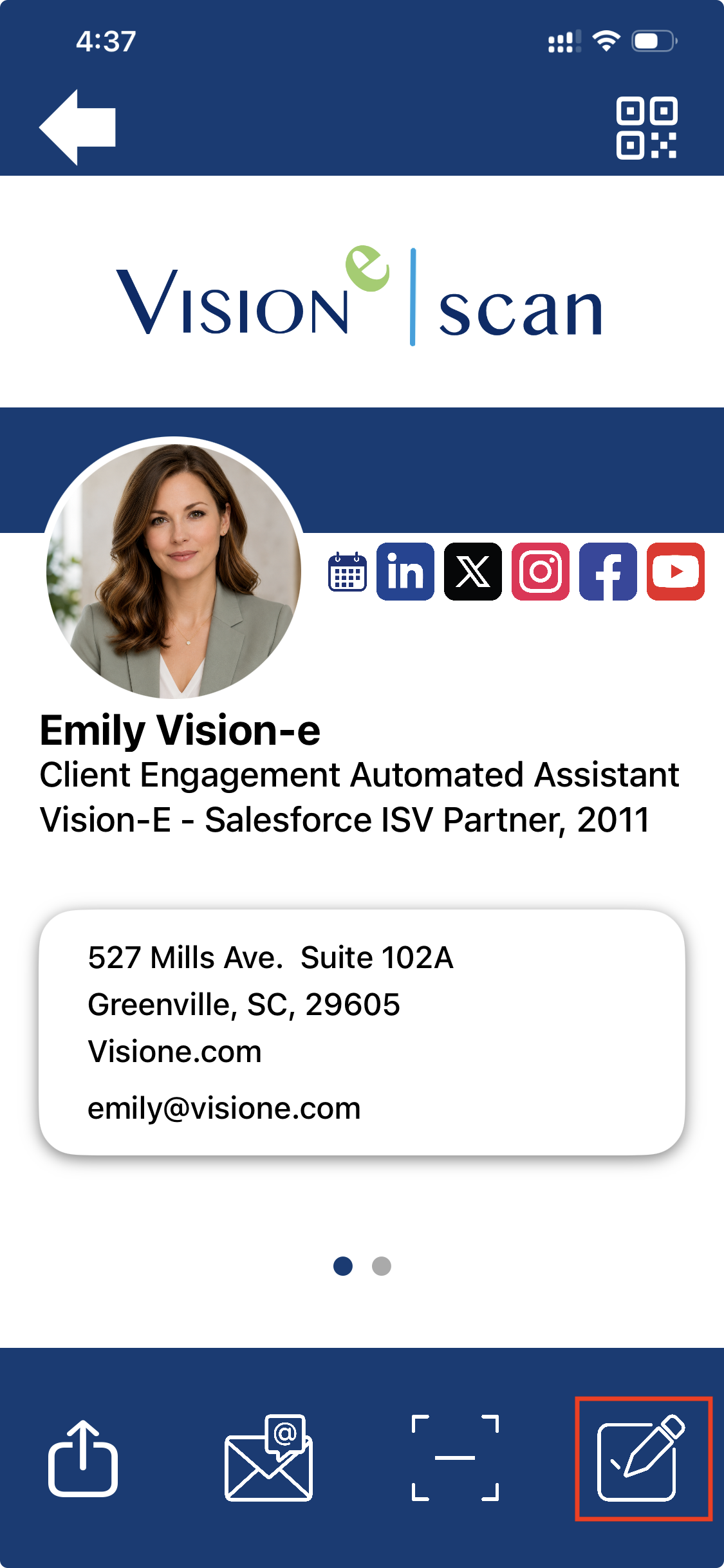
The Digital Business Card can be customized to:
- Change your photo
- Add text to the About section
- Update your contact information
- Add social media and calendar links
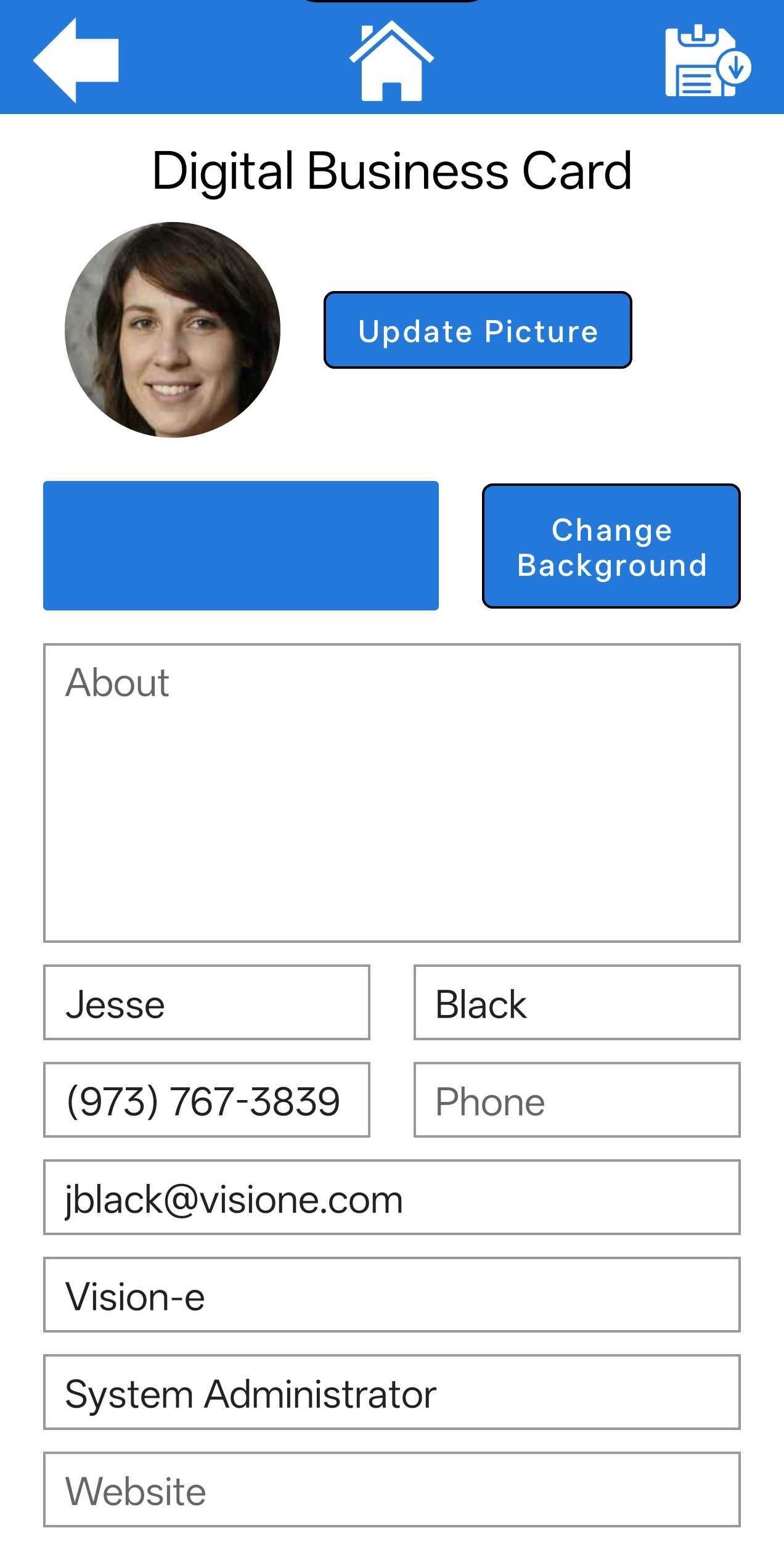
To update the current photo, tap “Update Picture” and select a new image from your device’s gallery.
Any text entered in the About section will appear below your photo on the Digital Business Card.
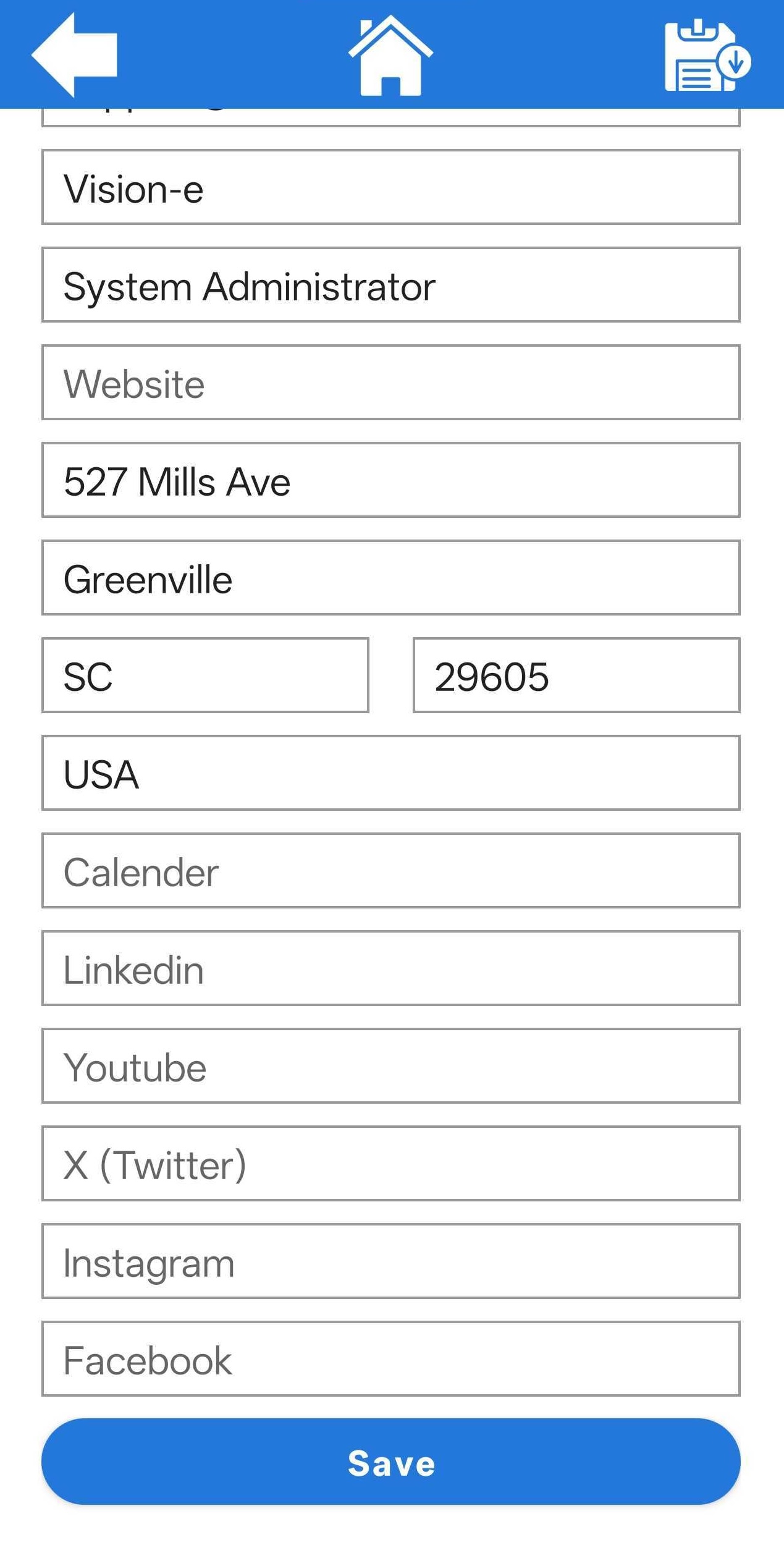
Your contact information can be updated using the available contact fields.
Social links can also be added using the supported social fields. Currently supported links include:
- Calendar Links
- YouTube
- X (Twitter)
These links will appear on the Digital Business Card as their respective icons for easy recognition.
Once finished, tap the Save icon in the top-right corner of the screen to apply your changes.